A video tells a story with images, sound, and emotion. Not everyone can experience that story in the same way. That is why it is important that accessibility is not added only afterwards, but is part of the production process from the very beginning. In this blog, we take you on the journey of an accessible video: from script to publication.
Start with the script
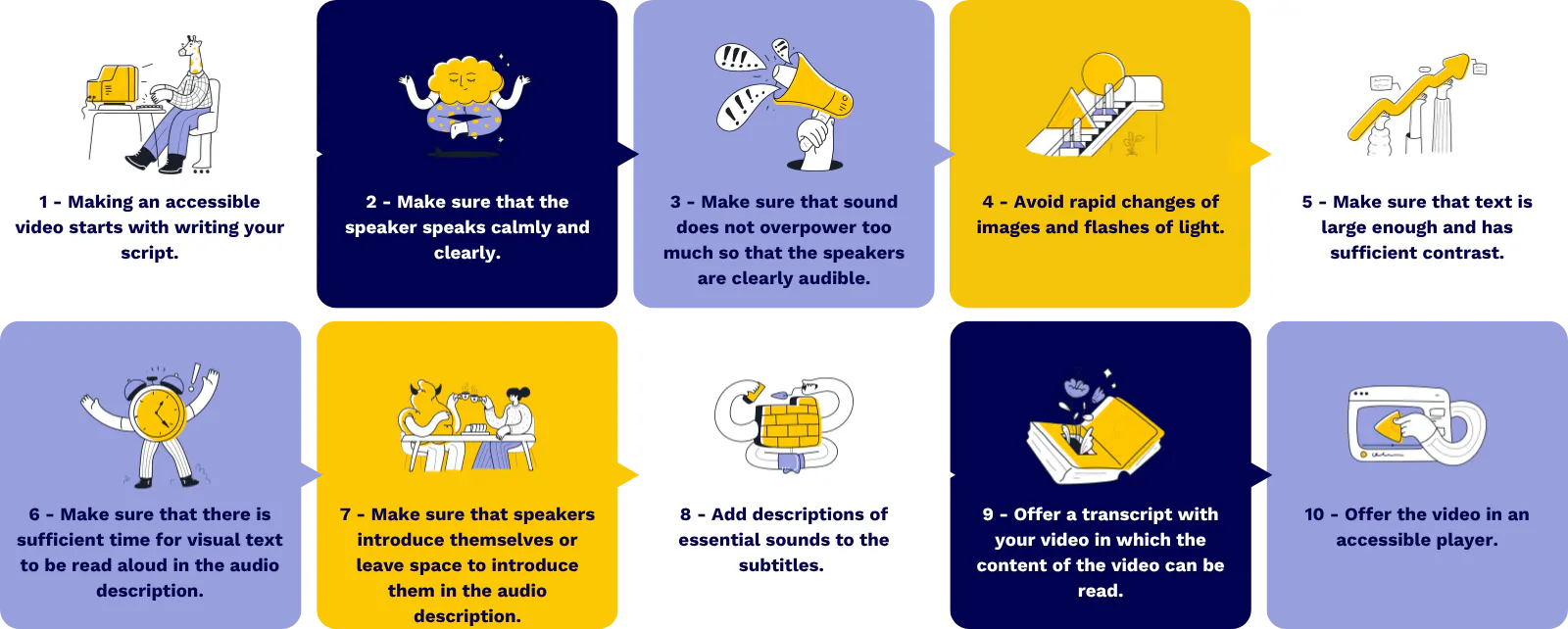
An accessible video starts with the script. This is where you lay the foundation: describe not only what people say, but also what they do and what happens on screen. By taking subtitles and audio description into account from the start, you avoid time-consuming adjustments later on. A good script therefore considers not only the content, but also how to make this information understandable to everyone.
Production with attention
During the recording, it is important to pay attention to voice, sound, and image. A speaker who speaks calmly and clearly makes the message more understandable and the subtitles simpler. The volume of background noise and music must be balanced so that the speaker remains clearly audible and the audio description comes across clearly. In addition, even lighting and calm editing are crucial: rapid flashes or abrupt image changes can disturb or even pose a danger to some viewers, such as people with epilepsy.
Making images accessible
Everything that appears on screen, such as names or titles, must be large enough and have sufficient contrast to remain clearly legible. It is important that text also remains on screen long enough so that there is sufficient time to have it spoken aloud in the audio description. The introduction of speakers is also an important element. Have speakers introduce themselves or reserve space to introduce them in the audio description. People who are blind or visually impaired want to know who is speaking and what their role is, especially if this is relevant to the story.
Subtitles and sound
Subtitles are more than just a representation of spoken text. Essential sounds, such as a slamming door, an alarm, or background noise, must also be included. This allows someone who is deaf or hard of hearing to follow the story and ensures the message remains complete.
Alternatives and player
Sometimes a video cannot be viewed. Therefore, it is important to provide a transcript that fully describes the content of the video: what is said, what is visible on screen, and what context is important. Finally, the video player determines the accessibility of the experience. With an accessible player, viewers can choose between subtitles, audio description, or the transcript. You need a video player that offers the above-mentioned forms. Not all players are suitable for this. By choosing, for example, the player from Blue Billywig you guarantee that the video complies with the WCAG.2. AA standard. This ensures the story is fully immersive, regardless of disability, device, platform, or situation.
From idea to impact
An accessible video is not a finished product, but the result of conscious choices at every stage of the process. By incorporating accessibility from the very first script, it becomes a natural part of video production.